Turn your to-do list into an RPG
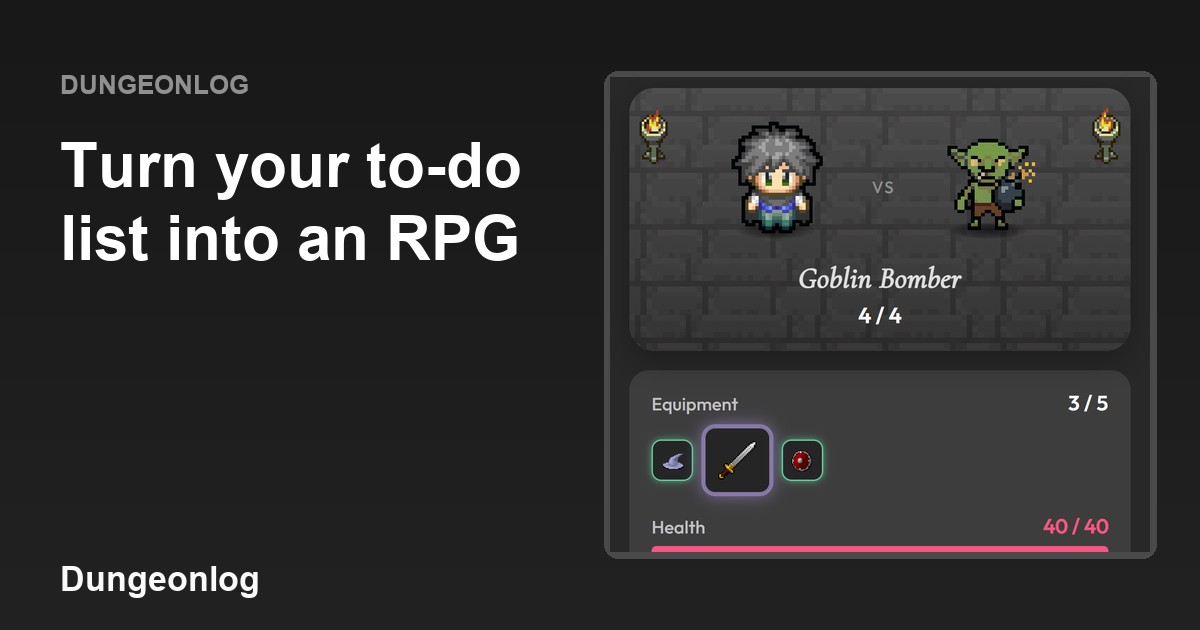
Dungeonlog is an RPG to-do app: instead of just ticking items off a list, you face one monster per day. In this article you will see what a task looks like, how it connects to the monster and what you get for finishing them.
What it is
A monster appears every day. It only falls if you complete all the day's tasks. If a task is left, it escapes and the day does not count. The idea is to give your list a start, a middle and an end, like a small daily battle.
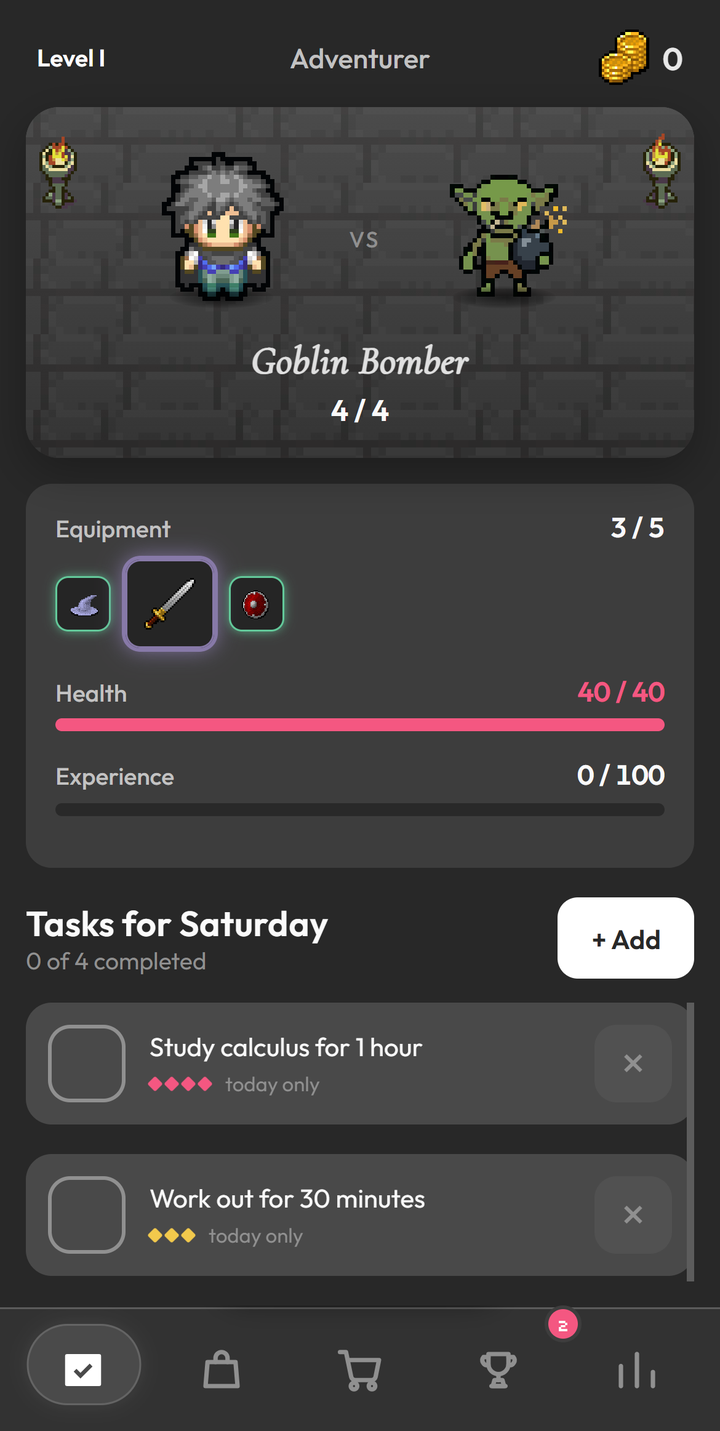
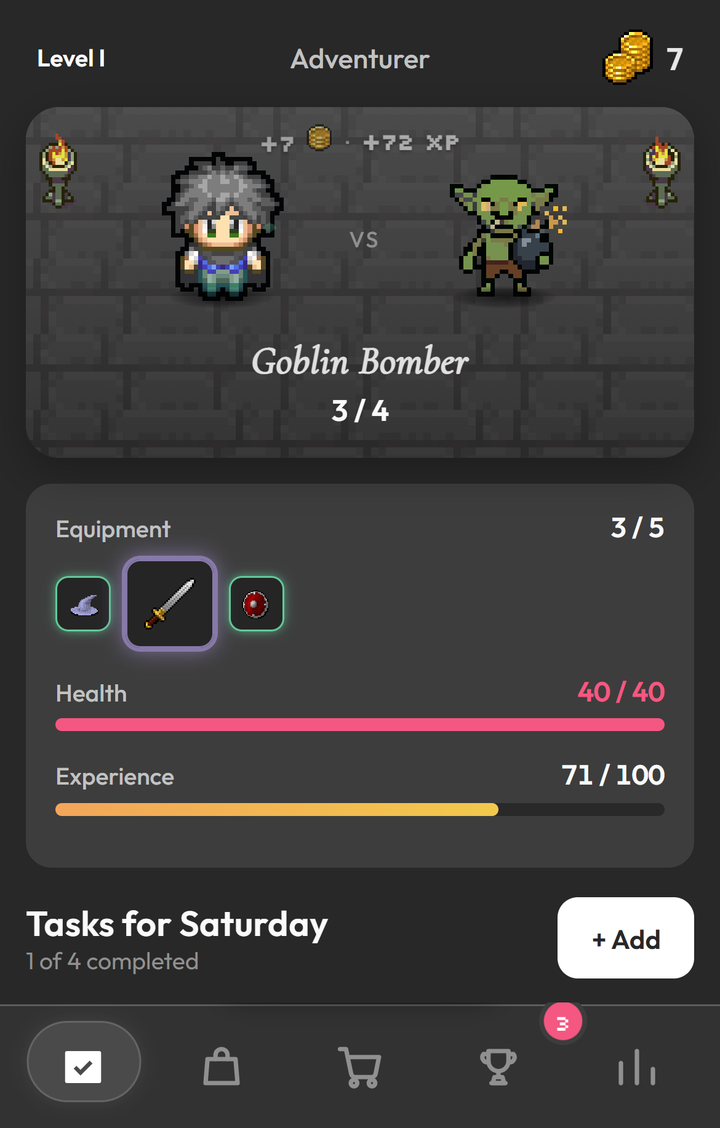
On the main screen, the monster of the day sits at the top, with a counter next to its name (here, 4 / 4). Below it are your equipment, the hero's health and experience, and the "Tasks for Saturday" list, which says how many are already done ("0 of 4 completed").
How it works
Each task you create has:
- a name;
- repetition: today, week, month or year;
- difficulty: trivial, easy, medium or hard;
- times per day.
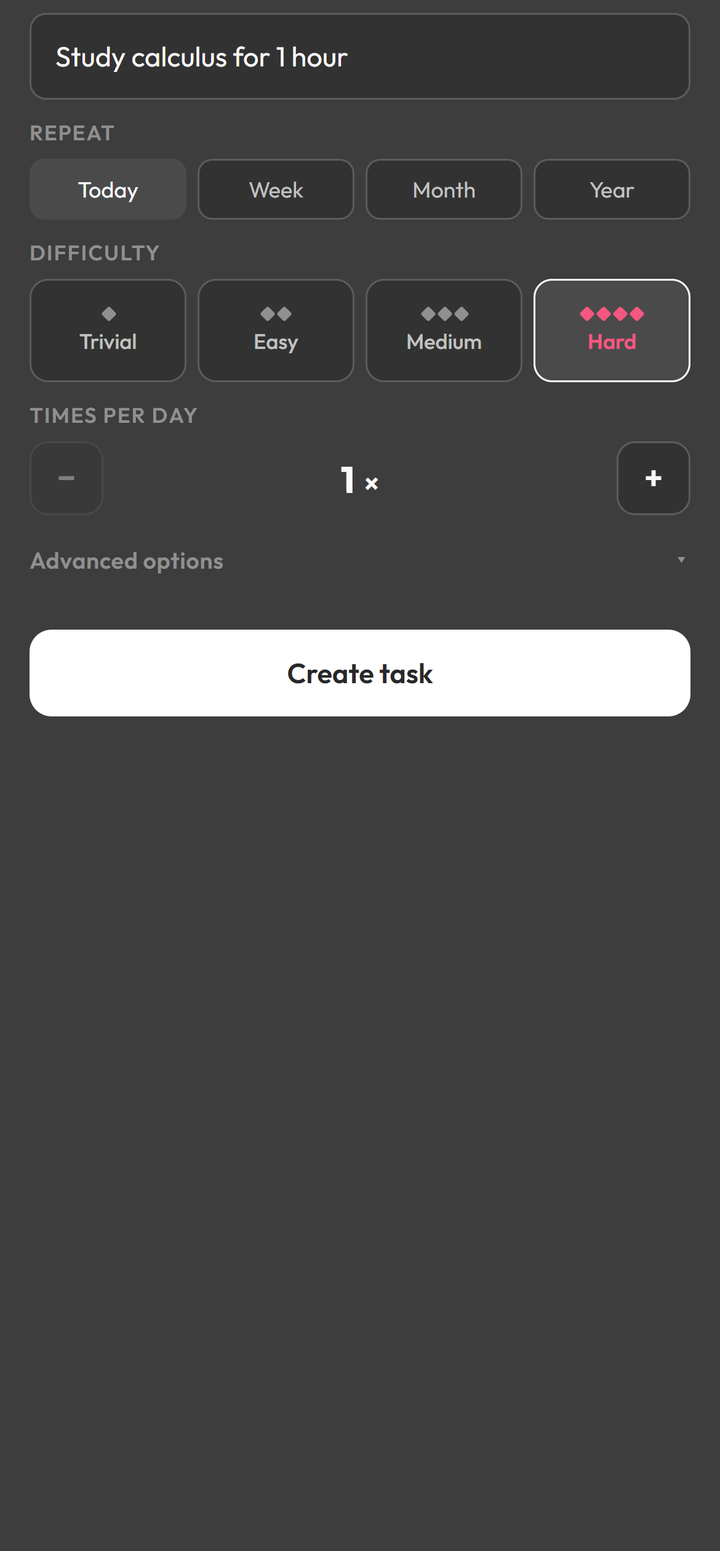
You create the task in the "New task" window. First you type the name, for example "Study calculus for 1 hour". Then you pick the repetition (Today, Week, Month or Year), the difficulty (Trivial, Easy, Medium or Hard) and how many times per day it has to be done. Finally, you tap "Create task".
The monster falling, task by task
As you finish tasks, the monster's counter goes down. In the example below, after finishing 1 of 4 tasks, the Goblin Bomber shows 3 / 4, and the hero earned coins and XP, shown at the top of the arena. When all of the day's tasks are done, the monster falls.
What you get
- XP and coins;
- equipment;
- treasure chests;
- Fortune, Focus and Vigor attributes;
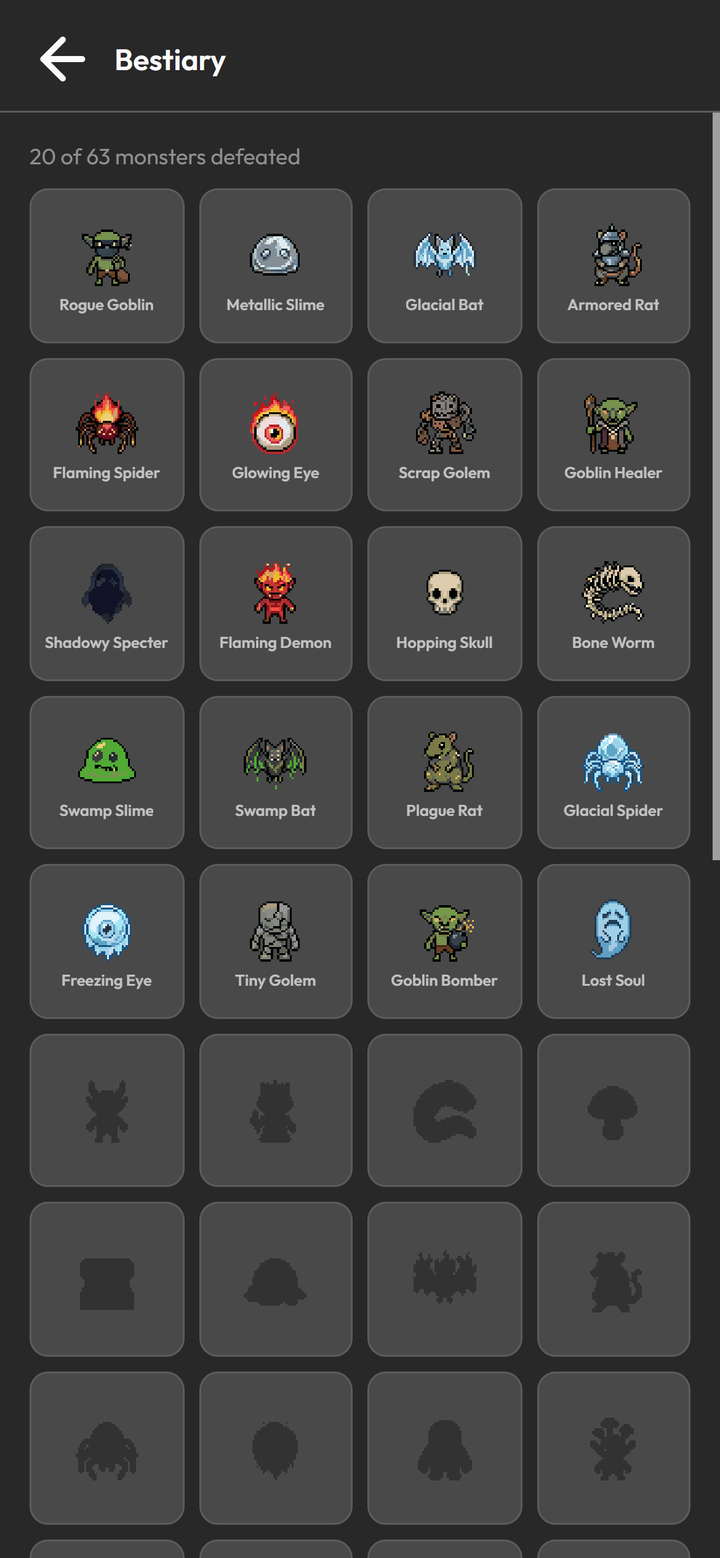
- a bestiary of 63 monsters.
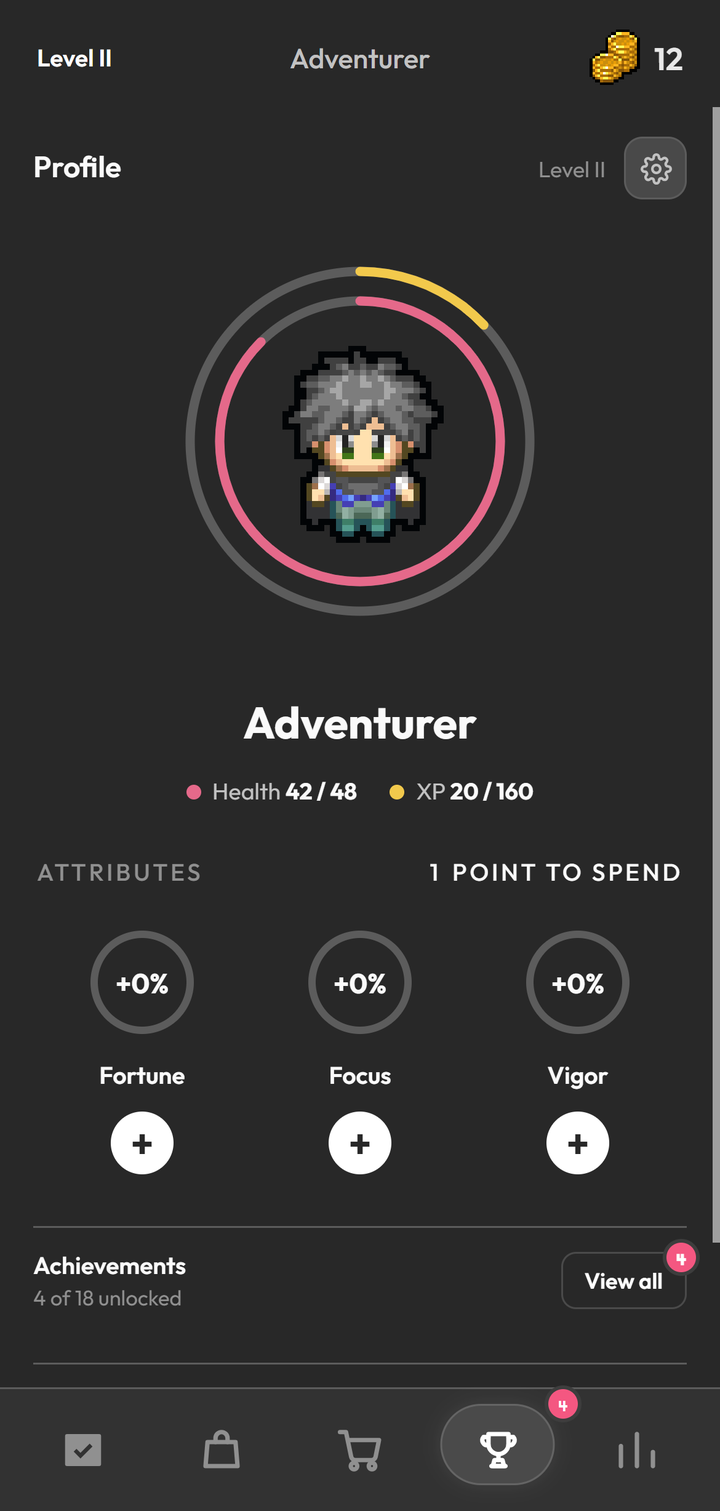
The attributes live in the Profile, together with your level, your health and your achievements. In the image below, the three attributes show "+0%" and the app says there is "1 point to spend".
The bestiary, in turn, keeps the monsters you have defeated. The ones that have not shown up yet stay as silhouettes, and the top of the screen shows your progress, like "20 of 63 monsters defeated".